

How To Make A FREE Duplicate Content Checking Tool for SEO Easily? (Video Inside)

Small business websites can’t afford wasted traffic or penalties. Whether you run a local store, consultancy, or online boutique, here’s your cost‑effective solution to keep your content unique.
Step 1 – Prepare Your URL List (Tab-Delimited)
Step 2 – Set Up Your Automation Environment (Google Colab)
Step 3 – Install HTML-Clean Support
Step 4 – Load URLs with a Custom Python Script
Step 5 – Export & Automate
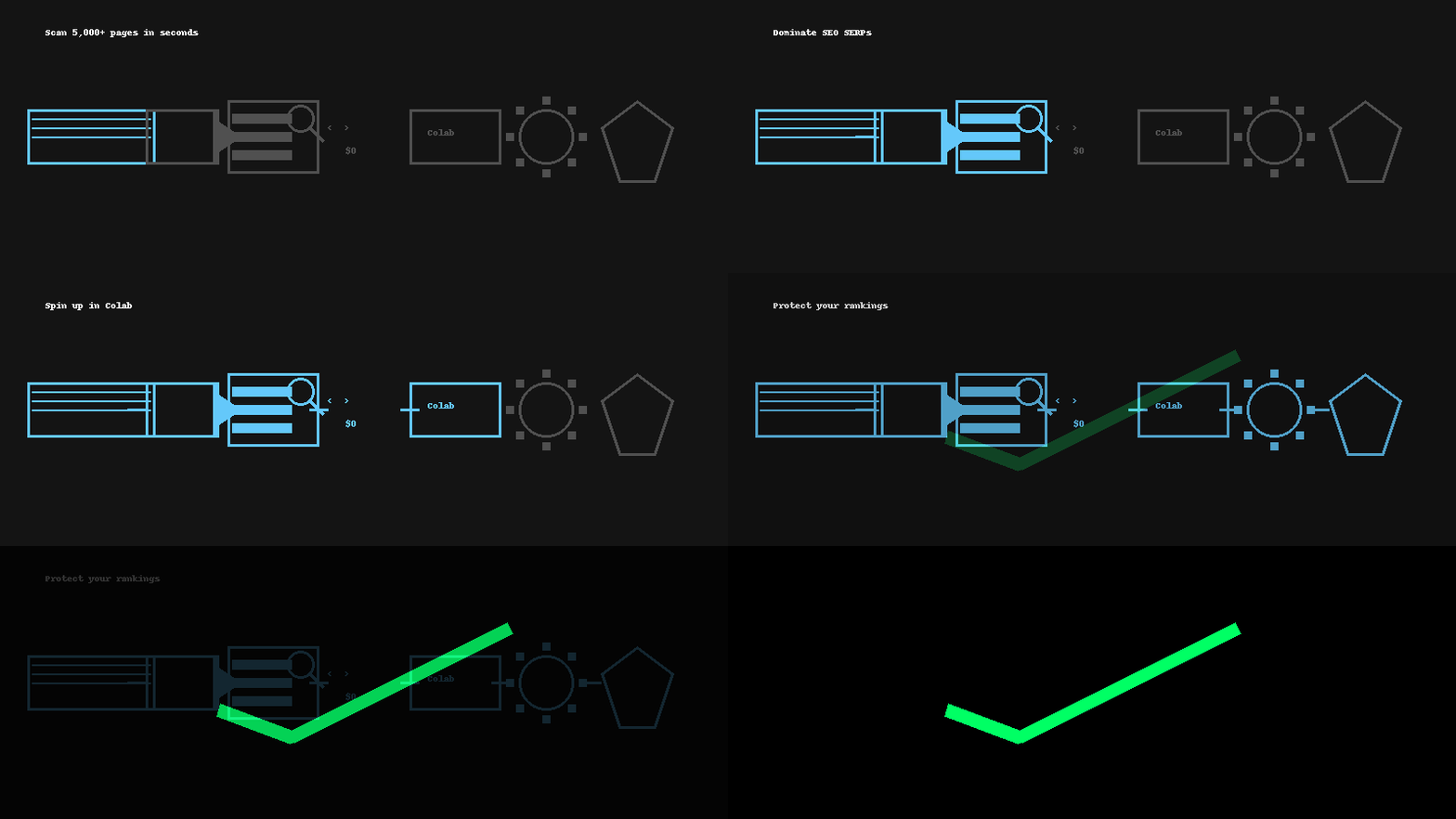
In our latest video walkthrough, we demonstrated how to scan 5,000+ URLs in seconds, flag genuine duplicates via AI embeddings, and export a clean report—all at zero cost on Google Colab.
How? By building a free, scalable web page duplicate content checker in Python, powered by AI embeddings, custom scripting, and automation — no paid APIs required.
Why Duplicate Content Checking Matters for SEO
- Splits your link equity: Multiple pages fight for the same keywords.
- Confuses Google’s crawler: Boilerplate navbars get indexed over real content.
- Invites manual actions: Google may penalize or devalue your site.
Step-by-Step: Build Your Python AI Duplicate Checker
Step 1 – Prepare Your URL List (Tab-Delimited)
- Export the URls you want to check for duplication (we selected Nord VPN – a major SaaS VPN provider for the experiment)
Here’s the list of URLs we used: NordVPN URLs
2. Ensure that the URLs begin with the first row (matching the loader’s check in code).
3. Name your file exactly URLs.txt and ensure it’s tab-delimited (.txt).
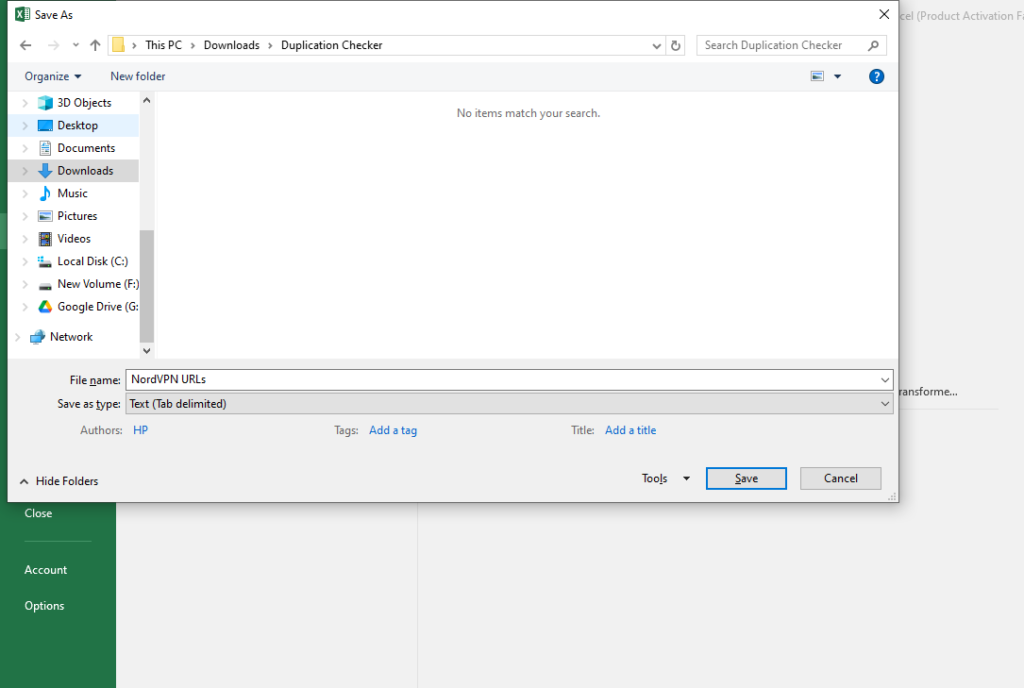
Tip: Keep it clean — no extra columns or spaces.
Step 2 – Set Up Your Automation Environment (Google Colab)`
- Go to Google Colab, open —> New Notebook.
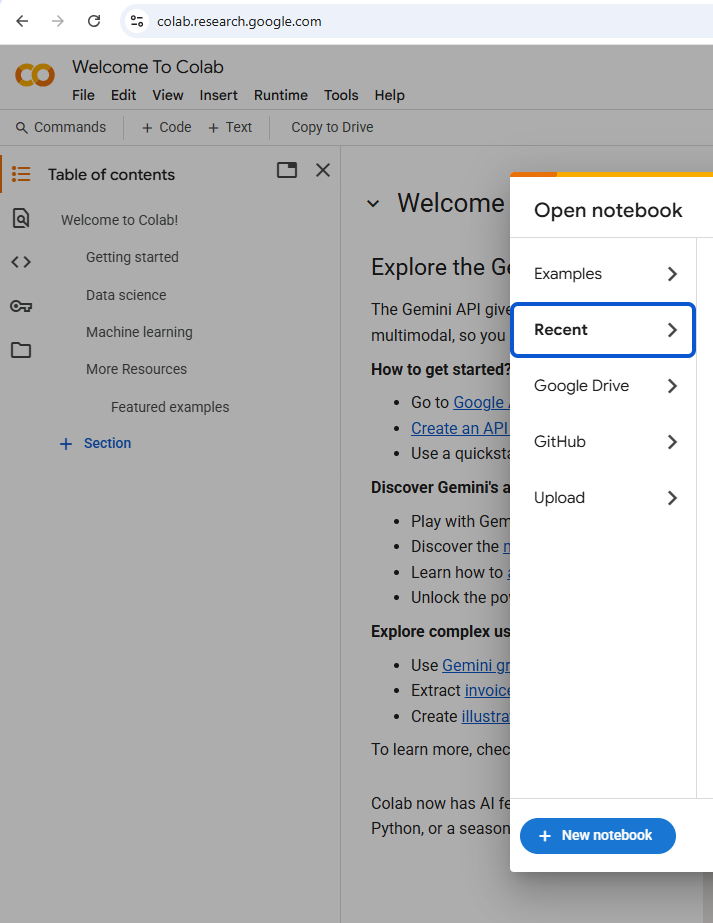
2. Open the terminal and install the required libraries:
pip install newspaper3k sentence-transformers scikit-learn numpy lxml_html_cleanWhy?
- Newspaper3k for content extraction.
- SentenceTransformers & scikit-learn for AI embeddings and cosine similarity.
- NumPy for numerical operations.
- lxml_html_clean to avoid HTML-clean import errors.
Step 3 – Install HTML-Clean Support
!pip install lxml_html_cleanWith
lxml_html_cleanin place, your content extraction step can confidently clean up page HTML—ensuring you analyze only the meaningful text, not boilerplate or broken markup.You’re adding a small, dedicated library that supplies the missing html.clean module for lxml.
Why it’s needed: The newspaper3k package relies on lxml.html.clean to strip out unwanted tags (scripts, ads, etc.) when parsing pages.
What happens under the hood:
- Checks your existing
lxmlinstall (you already have it). - Downloads
lxml_html_clean-0.4.2, which injects the standalone clean-HTML functionality. - Installs it so that
import lxml.html.cleanin your script now works without errors.
Step 4 – Load URLs with a Custom Python Script
import os
import csv
import re
import numpy as np
from newspaper import Article, Config
from sentence_transformers import SentenceTransformer
from sklearn.metrics.pairwise import cosine_similarity

def load_urls(filename="URLs.txt"):
    """
    Load URLs from a tab-delimited file.
    If the file contains a header with 'URL', that column is used;
    otherwise, the first column is assumed to contain URLs.
    """
    urls = []
    try:
        with open(filename, "r", encoding="utf-8") as f:
            first_line = f.readline()
            f.seek(0)  # Reset pointer
            if "URL" in first_line:
                reader = csv.DictReader(f, delimiter='\t')
                for row in reader:
                    url = row.get("URL")
                    if url:
                        urls.append(url.strip())
            else:
                reader = csv.reader(f, delimiter='\t')
                for row in reader:
                    if row:
                        urls.append(row[0].strip())
    except Exception as e:
        print(f"Error reading {filename}: {e}")
    return urls

def extract_text(url):
    """Extract the main article text from a URL using Newspaper3k with custom configuration."""
    try:
        config = Config()
        config.request_timeout = 20  # Increased timeout
        config.browser_user_agent = (
            'Mozilla/5.0 (Windows NT 10.0; Win64; x64) '
            'AppleWebKit/537.36 (KHTML, like Gecko) '
            'Chrome/117.0.0.0 Safari/537.36'
        )
        article = Article(url, config=config)
        article.download()
        article.parse()
        return article.text
    except Exception as e:
        print(f"Error extracting from {url}: {e}")
        return ""

def tokenize_text(text):
    """
    Tokenize text by lowercasing and extracting word tokens.
    Punctuation and non-word characters are removed.
    """
    text = text.lower()
    # Extract word tokens using regex (letters, numbers, underscores)
    tokens = re.findall(r'\b\w+\b', text)
    return tokens

def longest_common_substring_length(tokens1, tokens2):
    """
    Compute the length (in words) of the longest common contiguous substring between two lists of tokens.
    Uses dynamic programming.
    """
    m, n = len(tokens1), len(tokens2)
    dp = [[0] * (n + 1) for _ in range(m + 1)]
    longest = 0
    for i in range(1, m + 1):
        for j in range(1, n + 1):
            if tokens1[i - 1] == tokens2[j - 1]:
                dp[i][j] = dp[i - 1][j - 1] + 1
                if dp[i][j] > longest:
                    longest = dp[i][j]
            else:
                dp[i][j] = 0
    return longest

def export_duplicates(duplicates, output_filename="duplicates_embeddings.csv"):
    """Export duplicate pairs to a CSV file."""
    try:
        with open(output_filename, "w", newline='', encoding="utf-8") as f:
            writer = csv.writer(f)
            writer.writerow(["URL1", "URL2", "Cosine_Similarity", "Longest_Common_Block_Words"])
            for url1, url2, cosine_sim, common_words in duplicates:
                writer.writerow([url1, url2, f"{cosine_sim:.2f}", common_words])
        print(f"Exported duplicates to {output_filename}")
    except Exception as e:
        print(f"Error writing to {output_filename}: {e}")

def main():
    # Load URLs from file
    urls = load_urls("URLs.txt")
    if not urls:
        print("No URLs loaded. Please check your file.")
        return
    print(f"Found {len(urls)} URLs.")

    # Extract article text for each URL
    print("Extracting article text from URLs...")
    contents = [extract_text(url) for url in urls]

    # Load SentenceTransformer model and compute embeddings
    print("Loading SentenceTransformer model and computing embeddings...")
    model = SentenceTransformer('all-MiniLM-L6-v2')
    embeddings = [model.encode(text, convert_to_numpy=True) if text else np.zeros(384)
                  for text in contents]
    embeddings = np.array(embeddings)

    # Compute cosine similarity matrix between embeddings
    similarity_matrix = cosine_similarity(embeddings)
    threshold_embed = 0.9  # Embedding similarity threshold
    contiguous_threshold = 50  # Require at least 50 contiguous matching words

    duplicates = []
    n = len(urls)
    # For candidate pairs with high cosine similarity, check contiguous word match
    for i in range(n):
        for j in range(i + 1, n):
            cosine_sim = similarity_matrix[i][j]
            if cosine_sim > threshold_embed:
                # Tokenize the texts
                tokens1 = tokenize_text(contents[i])
                tokens2 = tokenize_text(contents[j])
                lcs_length = longest_common_substring_length(tokens1, tokens2)
                if lcs_length >= contiguous_threshold:
                    duplicates.append((urls[i], urls[j], cosine_sim, lcs_length))

    # Export duplicate pairs to CSV
    export_duplicates(duplicates)

    # Output results to console
    print("\nDuplicate detection using SentenceTransformer embeddings (with contiguous block check):")
    if duplicates:
        for url1, url2, cosine_sim, common_words in duplicates:
            print(f"{url1} and {url2} (Cosine similarity: {cosine_sim:.2f}, "
                  f"Longest common block: {common_words} words)")
    else:
        print("No duplicates found.")

if __name__ == "__main__":
    main()
Step 5 – Export & Automate
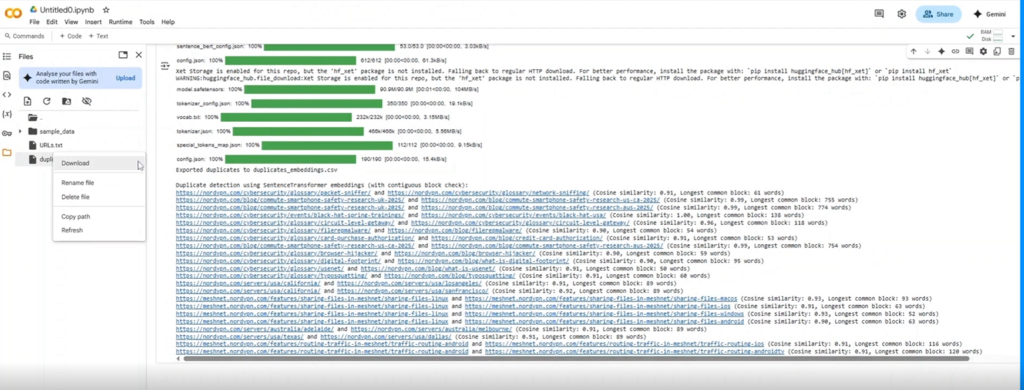
Remember: Siteliner and Gemini Pro often only flag headers and footers — not actual body text. Our custom script digs deeper.
📈 Case Study: SaaS Recovery from Duplication
A Digitalonaian client from the SaaS industry client saw their daily clicks plunge from 1,400 to 350 (–75%) because their region-specific pages were copying the same content. You can automate that same process at zero cost.
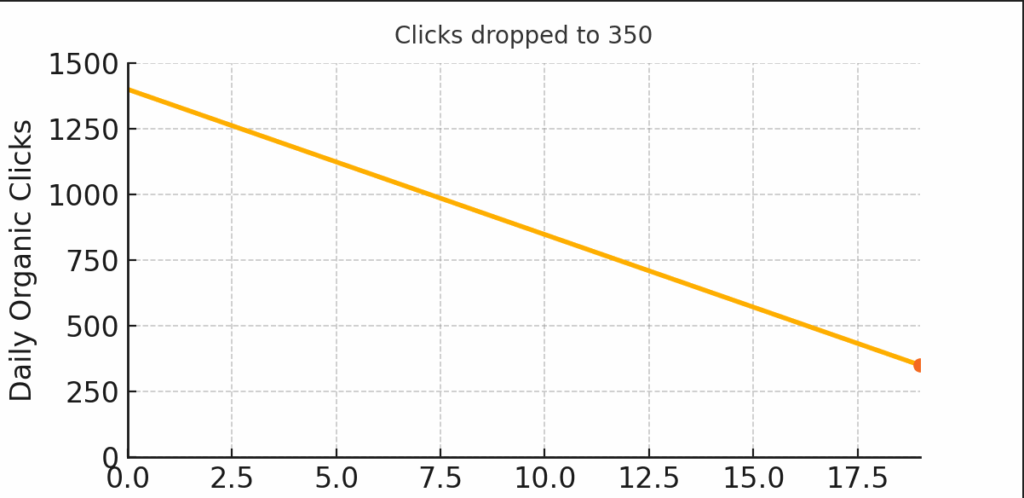
- Problem: 1,000+ word articles copy-pasted across region pages dropped clicks from 1,400 → 350.
- Solution: Ran our script, cleaned duplicates, implemented 301 redirects + schema-rich FAQs.
- Outcome: Daily clicks rebounded to 1,200 in 3 months (+240%) — see the graph!
If this sounds like magic, it’s just automation and AI in action.
Wrap Up
No more paid tools, no more guesswork—just a free, scalable, AI-driven solution to duplicate content detection. Want Digitalonian to handle it? Slide into our DMs or drop a comment below. Let’s keep your SEO rankings bulletproof!